
-
×
 Canon RF 16mm f/2.8 STM Lens
1 × LKR. 88,000
Canon RF 16mm f/2.8 STM Lens
1 × LKR. 88,000 -
×
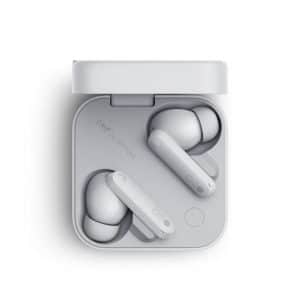 NOTHING CMF Ear (Buds) True Wireless ANC Earbuds
1 × LKR. 36,900
NOTHING CMF Ear (Buds) True Wireless ANC Earbuds
1 × LKR. 36,900
Subtotal: LKR. 124,900

Finding the right asus i5 laptop price in sri lanka takes more than comparing two advertised amounts. ASUS offers Core i5 laptops for everyday productivity, business, creative work and gaming. Therefore, the processor model, RAM, graphics, storage, display, operating system and warranty must all be considered before deciding whether a price represents good value.
From my experience reviewing laptop configurations, buyers often focus on the “Core i5” label and overlook the letters and numbers that follow it. However, a power-efficient Core i5-1335U, a performance-focused Core i5-13420H and a gaming laptop with dedicated NVIDIA graphics are designed for different workloads. As a result, their Sri Lankan prices can vary significantly.
Prices and availability can also change with exchange rates, import costs, promotions and stock levels. Consequently, all price bands in this guide are estimates rather than fixed quotations. Confirm the live price, model code, stock status and warranty before paying.
The ASUS i5 laptop price in Sri Lanka generally ranges from the everyday mid-range segment to premium gaming levels. Pricing depends on processor type, RAM, SSD capacity, display, graphics and warranty. For balanced daily use, choose a recent Core i5 processor, at least 8GB RAM and a 512GB SSD.
An ASUS Core i5 laptop can belong to several price categories. A thin Vivobook intended for office work may use integrated graphics and a power-efficient U-series processor. Meanwhile, an ASUS TUF gaming laptop may combine a high-performance processor with an NVIDIA GeForce GPU, a high-refresh-rate display and stronger cooling.
Therefore, one average price cannot describe every ASUS Core i5 laptop.
As of August 2026, a reasonable market-planning estimate for Sri Lankan buyers is approximately:
These are estimated categories, not Greenware quotations or guaranteed market prices. A model may fall outside these ranges because of its processor generation, RAM, graphics card, warranty, software bundle or promotional status.
When researching the asus i5 laptop price in sri lanka, always determine whether an advertised figure is a cash price, card price, online price or instalment total. In addition, check whether Windows, Microsoft Office, delivery and essential accessories are included.

The following comparison shows why similarly branded Core i5 laptops can have very different prices.
| ASUS laptop category | Typical configuration | Estimated Sri Lankan price level | Best for |
| Entry-level Vivobook Core i5 | Recent U-series CPU, 8GB RAM, 512GB SSD, integrated graphics | Lower to middle Core i5 range | Students, home users and general office work |
| Balanced Vivobook Core i5 | Recent U-series CPU, 16GB RAM, 512GB SSD, Full HD display | Middle Core i5 range | Professionals and heavier multitasking |
| ExpertBook Core i5 | Business-oriented CPU, 8GB–16GB RAM, security and management features | Middle to upper Core i5 range | Offices, field staff and business users |
| Vivobook performance model | H-series or similar CPU, 16GB RAM, larger or better-quality display | Upper productivity range | Coding, analysis and light creative work |
| ASUS TUF Core i5 gaming laptop | H/HX-series CPU, 16GB DDR5, RTX graphics, high-refresh display | Upper Core i5 range | Gaming, 3D work and video production |
This table is a buying framework rather than a live stock list. Configurations can change between regions, even when two laptops share the same family name.
Several factors influence local laptop prices. Understanding each factor helps you compare value more accurately.
“Core i5” is a performance tier, not a full specification. The complete processor code provides much more information.
For example, Intel identifies the Core i5-1335U as a 13th-generation mobile processor with 10 cores, 12 threads, up to 4.6GHz turbo frequency and 12MB of cache. Intel also lists the Core i5-13420H as an eight-core, 12-thread mobile processor with up to 4.6GHz turbo frequency.
These processors share the Core i5 name, but they target different laptop designs. Buyers can verify exact CPU specifications using Intel’s official 13th-generation Core i5 database.
The final letter is especially important:
However, the suffix does not reveal the whole laptop experience. Cooling, power limits, memory and software settings also affect sustained performance.
RAM has a major effect on multitasking. An 8GB laptop may perform well for documents, browsing and online meetings. However, 16GB offers more breathing room for many browser tabs, large spreadsheets, design applications and development tools.
Memory configuration matters as well. For example, some ASUS models combine soldered memory with one SO-DIMM upgrade slot. Others use two removable modules or fully soldered RAM.
Additionally, some integrated graphics features depend on memory configuration. ASUS notes that Iris Xe branding on certain Vivobook configurations requires eligible processors and dual-channel memory. Therefore, a seller’s graphics description should be checked against the actual installed RAM.
A cheaper laptop with non-upgradeable 8GB RAM may offer less long-term value than a slightly more expensive model that supports 16GB or 32GB.
A solid-state drive stores the operating system, applications and files. Most current productivity laptops use an M.2 NVMe SSD, which provides fast boot and application-loading times.
For many buyers, 512GB is the practical sweet spot. It provides more usable room than 256GB without moving into the higher cost of a 1TB configuration.
Nevertheless, capacity is not the only issue. Check:
A 1TB SSD is useful for video files, games and large project folders. In contrast, a 512GB model may be enough for office work and cloud-based study.
A standard ASUS Vivobook Core i5 laptop often uses Intel integrated graphics. Integrated graphics share system memory and are suitable for daily productivity, video playback and light creative tasks.
A gaming-focused ASUS TUF model may include a dedicated NVIDIA GeForce GPU. Dedicated graphics add significant cost because the laptop also requires stronger cooling, a larger power adapter and a suitable display.
Therefore, an RTX-equipped laptop should not be compared directly with an ordinary Vivobook based only on the processor name. They are different product categories.
Dedicated graphics are valuable for:
However, buyers who only need Microsoft Office, browsing and online meetings may not benefit enough to justify the extra price, weight and power consumption.
Display quality can change the price even when the processor and RAM are similar. A basic Full HD panel usually costs less than a high-refresh gaming screen or colour-rich OLED display.
Important display details include:
The official specifications for the ASUS Vivobook 15 X1504 family show how one laptop family may include Core i5-1335U or i5-1334U processors, 8GB onboard memory, an additional SO-DIMM slot, 512GB or 1TB SSD options and a 15.6-inch Full HD display. ASUS also warns that specifications vary by market and exact model.
For general office work, Full HD resolution is a sensible minimum on a 15.6-inch screen. Meanwhile, gaming users may prioritise a 144Hz or faster refresh rate. Creative users should pay more attention to colour coverage than refresh rate.
Some ASUS laptops sold in Sri Lanka come with Windows 11 Home. Others may arrive with DOS or no consumer operating system installed.
A DOS model can have a lower advertised price. However, buyers must then account for a legitimate Windows licence, installation and driver setup. Therefore, compare the total ready-to-use cost rather than the laptop price alone.
Microsoft publishes the official Windows 11 system requirements, including processor, memory, storage, firmware and security requirements. Recent ASUS Core i5 laptops will often be designed for Windows 11, but compatibility and driver support should still be checked using the exact model code.
Also verify whether Microsoft Office is a permanent licence, a trial or not included. A one-month Microsoft 365 trial is not the same as a lifetime Office licence.
Warranty coverage can influence the asus i5 laptop price in sri lanka. A model with a longer authorised warranty may cost more than a grey-import or seller-warranty unit.
Before buying, request written answers to these questions:
These are administrative purchasing checks, not legal advice. The seller’s written terms and applicable consumer protections should guide the final decision.
A Core i5 laptop is generally positioned above a Core i3 within the same product generation and class. However, performance comparisons should use complete processor codes.
Many recent Intel mobile processors use a hybrid architecture. It combines performance-oriented cores with efficiency-oriented cores.
Performance cores handle demanding foreground work. Meanwhile, efficient cores can assist with background tasks and parallel workloads. Windows and Intel’s scheduling technologies help assign work between them.
This design can improve multitasking and power efficiency. Nevertheless, real-world results depend on the laptop’s cooling system and power settings.
Turbo frequency is the maximum speed a processor may reach under suitable conditions. It is not the speed the CPU maintains continuously.
Heat, available electrical power, workload and manufacturer settings affect turbo behaviour. Consequently, a thin laptop and a thick gaming laptop with similar processor branding may deliver different sustained performance.
Processor cache is high-speed memory located close to the CPU cores. It helps the processor access frequently needed data quickly.
More cache can benefit certain workloads. However, cache size should not be used as the only measure of laptop performance.
A newer processor does not automatically make a laptop better. For example, a newer Core i5 model with 8GB fixed RAM and a dim screen may be less suitable than an older laptop with 16GB RAM, a better panel and stronger upgrade options.
Therefore, compare the complete machine:
ASUS uses different product families to serve different users. Knowing the family helps explain the price.
Vivobook models usually target students, home users and mainstream professionals. They tend to balance portability, design and price.
A typical Vivobook Core i5 configuration may include:
Vivobooks are often the most relevant option for buyers seeking a balanced asus i5 laptop price in sri lanka. Still, panel quality, keyboard lighting and Windows inclusion can vary by exact model.
ExpertBook models focus more heavily on business use. Depending on the model, they may offer additional security, durability, connectivity or management features.
An ExpertBook may be suitable for:
However, not every buyer needs business-management features. A Vivobook may provide better value for normal home or university use.
ASUS TUF laptops target gaming and performance workloads. They are usually heavier than standard Vivobooks because they need larger cooling systems.
A TUF configuration may include:
These components explain why a TUF laptop costs more than an everyday Core i5 model. The extra expense is worthwhile only when the user can benefit from dedicated graphics and sustained performance.
The best specification depends on what you intend to do.
For most degree programmes, a sensible configuration is:
Students studying architecture, engineering, animation or video production may require dedicated graphics and more RAM. Therefore, they should check the official software requirements for their course.
Office users should prioritise keyboard comfort, reliable Wi-Fi, ports and warranty support. A Core i5 with 16GB RAM and a 512GB SSD can comfortably handle common multitasking.
For example, it can support:
Large data models, complex Excel files or specialist software may require more memory or processing power.
A Core i5 laptop can be suitable for web development, programming courses and many professional development tasks.
However, 16GB RAM is preferable if you use:
A 512GB SSD is a practical minimum, while 1TB may be useful for large projects and toolchains.
A Core i5 with 16GB RAM can handle light-to-moderate design work. However, the display’s colour coverage matters greatly.
Do not assume that a Full HD screen is automatically colour accurate. For professional print or brand work, check independent panel measurements or use a suitable external monitor.
The processor alone does not make a laptop suitable for gaming. The graphics processor is usually the most important differentiator.
For current games, look for:
An ordinary Vivobook with integrated graphics can run older or lighter games. However, it should not be marketed or purchased as a substitute for a dedicated gaming laptop.
Choosing the right processor tier can prevent both overspending and underbuying.
| Processor tier | Typical strengths | Suitable users | Possible drawback |
| Core i3 | Affordable daily computing | Basic office users, schoolwork and home browsing | Less headroom for demanding multitasking |
| Core i5 | Strong balance of price and performance | Students, professionals, coders and moderate creators | Higher-performance configurations can become expensive |
| Core i7 | More performance in suitable generations and classes | Heavy productivity and specialist workloads | Added cost may not benefit ordinary users |
A Core i5 is often the balanced choice because it offers more performance headroom than an entry-level processor without automatically moving into premium Core i7 pricing.
Still, the complete processor code matters. A performance-focused older Core i5 may outperform a newer low-power processor in sustained workloads. Similarly, a Core i7 laptop limited by cooling may not deliver its full theoretical advantage.
Use this checklist before accepting an advertised asus i5 laptop price in sri lanka as a good deal.
Warranty and software terms can materially affect the real cost of ownership.
A seller warranty follows the retailer’s written process. Meanwhile, an authorised-channel warranty may use a distributor or recognised service network.
Neither description should be accepted without checking the details. Ask for the coverage period and service location in writing.
Keep copies of:
These records support administrative warranty handling. They are not a substitute for professional legal advice in a dispute.
Open the Windows activation settings after setup and confirm the activation status. Also check whether the installed Windows edition matches the invoice.
Avoid unlicensed software. Apart from compliance concerns, modified or unauthorised installations can create security and update problems.
Battery runtime varies with display brightness, workload, wireless activity, background software and battery age. Therefore, advertised results should be treated as controlled-test figures rather than guaranteed daily runtime.
A gaming laptop will often consume more power than a thin productivity laptop. It may also use a much larger charger.
ASUS states that product specifications and included accessories can differ by country and model. Consequently, an international review may not describe the exact unit sold in Sri Lanka.
Match reviews and official specifications using the complete model code, not only the words “Vivobook 15” or “TUF F16.”
A low initial price can become expensive if the laptop needs an early replacement or immediate upgrades.
Eight gigabytes is still usable for common productivity. Nevertheless, 16GB offers a more comfortable margin for modern browsers, creative tools and multitasking.
If your budget cannot cover 16GB immediately, choose a model with a clear RAM upgrade path.
A 512GB SSD is sufficient for many users. However, gamers, photographers and video editors may fill it quickly.
Before paying for a 1TB factory configuration, compare the cost of a supported later upgrade. Also account for installation and warranty procedures.
A dedicated GPU increases price, weight, heat and power use. Therefore, office users should not assume an RTX model is automatically better.
Conversely, buyers who genuinely need GPU performance should avoid an integrated-graphics laptop simply because it is cheaper. Replacing the entire laptop later will cost more.
Add all necessary costs:
This total gives a more accurate comparison than the advertised laptop price alone.
A 1.7kg Vivobook is easier to carry than a heavier gaming model with a large charger. Meanwhile, a gaming laptop may provide much stronger performance.
The correct choice depends on where the laptop will be used. A student travelling by bus or train may value lower weight more than maximum graphics performance.
An everyday ASUS Core i5 laptop may broadly fall around LKR 190,000–280,000, while premium or gaming models can cost substantially more. These are estimates, so confirm the live price, exact model, warranty and stock before purchasing.
Yes. A recent Core i5 laptop with 8GB or 16GB RAM and a 512GB SSD is suitable for research, assignments, presentations and online classes. Students using engineering, design or video software should verify whether dedicated graphics are required.
Eight gigabytes is adequate for everyday office work, browsing and moderate multitasking. However, 16GB is preferable for programming, large spreadsheets, creative applications and keeping many browser tabs open.
A Vivobook or suitable ExpertBook with a U-series Core i5, 16GB RAM, 512GB SSD and Full HD anti-glare screen offers a useful balance. The best exact model depends on warranty, ports, keyboard comfort and local availability.
A Core i5 can support gaming, but the graphics processor matters more. Choose an ASUS TUF model with dedicated NVIDIA graphics for demanding games; a normal Vivobook with integrated graphics is better suited to lighter titles.
The best asus i5 laptop price in sri lanka is not necessarily the lowest advertised amount. It is the price of a complete configuration that meets your needs without unnecessary features or expensive limitations.
For most students and office users, a recent Core i5 U-series processor, 8GB or 16GB RAM, a 512GB SSD and a Full HD display provide a strong balance. Meanwhile, gamers and visual professionals should consider an ASUS TUF model with dedicated graphics and stronger cooling.
Before paying, verify the full processor code, RAM upgrade path, SSD capacity, display, Windows licence and written warranty. Also distinguish the cash price from the instalment total.
To compare current availability and choose a configuration suited to work, study or gaming, explore Greenware’s selection of laptops and technology products.
They target different laptop types. The i5-1335U is designed for efficient mobile systems, while the i5-13420H targets higher-performance laptops. The H-series chip may suit sustained demanding work, but an i5-1335U laptop can offer better portability and potentially lower power use.
A DOS model can reduce the initial price if you already have a legitimate operating-system plan and the skills or support needed for installation. Otherwise, a Windows-included model may offer a simpler and more predictable total cost.
No. Graphics branding depends on the exact processor and memory configuration. Some systems may operate under Intel UHD branding when the required dual-channel memory configuration is absent, so verify the actual unit rather than relying on a general product-family description.
It can be enough initially, but modern games may consume a large amount of storage. Gamers should check whether the laptop includes a second M.2 slot or supports replacing the original drive with a larger SSD.
Confirm that the model and serial numbers match the invoice. Then test the screen, keyboard, touchpad, webcam, microphone, speakers, Wi-Fi, Bluetooth, charging and every port. Finally, verify RAM, SSD, processor, graphics, Windows activation and warranty documentation.

I am a dedicated mobile technology enthusiast with over a decade of experience in the field. At Greenware Mobile, I am responsible for delivering the latest news, comprehensive reviews, and insightful information about mobile phones. My passion for technology drives my commitment to providing accurate and up-to-date content to help consumers make informed decisions. With a strong educational background in mobile technology, I strive to demystify complex tech concepts for our audience at Greenware.lk. Whether you're a tech aficionado or a casual smartphone user, my goal is to keep you well-informed and ahead of the curve in the ever-evolving world of mobile technology.
