

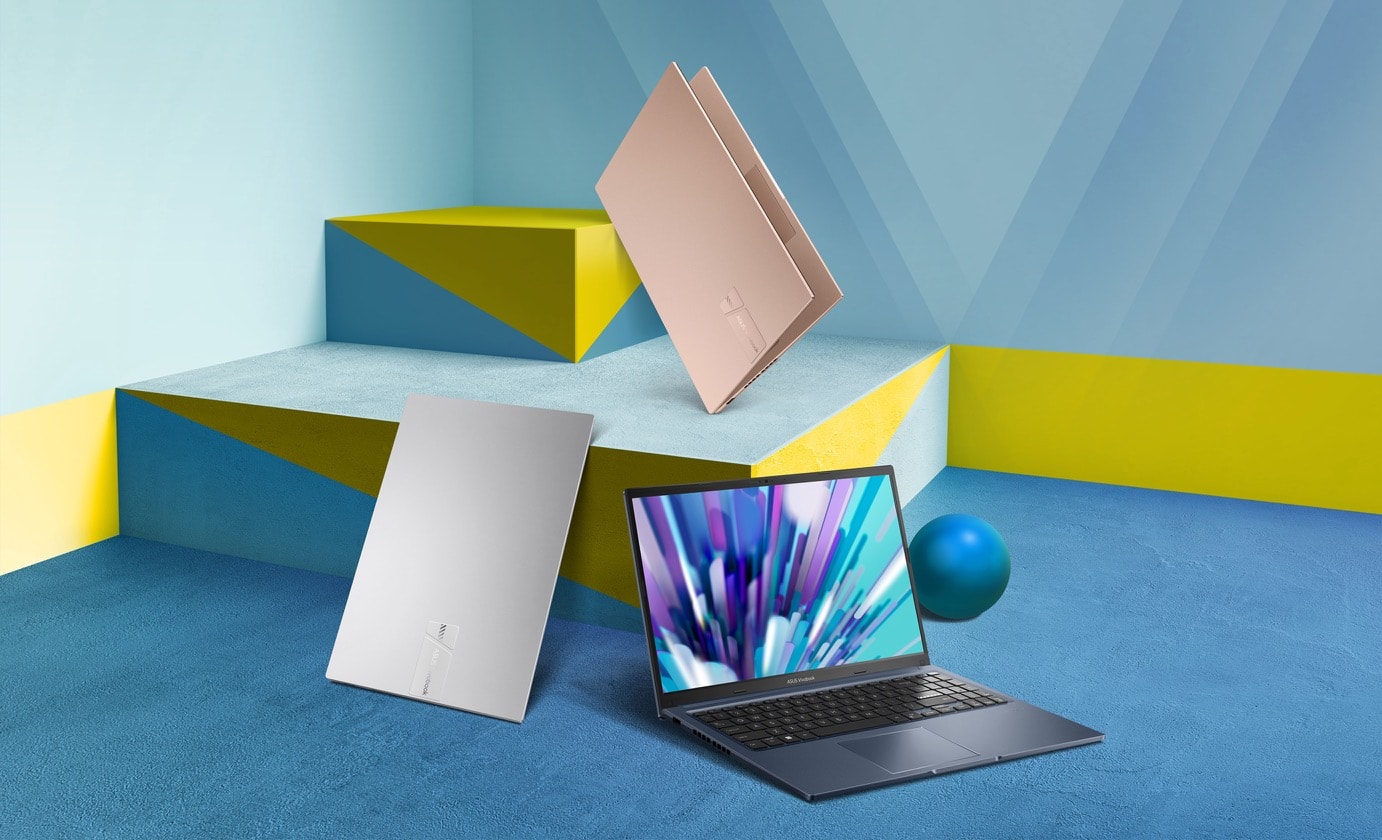
ASUS VIVOBOOK 15 Guide for Sri Lanka: Specs, Buying Tips, Setup and Value
Table of Contents
- What is the ASUS VIVOBOOK 15?
- Why Sri Lanka buyers search for the ASUS VIVOBOOK 15
- ASUS VIVOBOOK 15 specifications that matter
- Best uses in Sri Lanka
- Comparison table: ASUS VIVOBOOK 15 options
- Buying checklist for Sri Lanka
- Warranty, compliance and after-sales points
- Setup tips after purchase
- Performance expectations
- People Also Ask
- Expert Q&A
- Conclusion
Introduction
The ASUS VIVOBOOK 15 is one of the most searched everyday laptops in Sri Lanka because it sits in the practical middle: large enough for work, study and entertainment, yet still portable enough for commuting between home, campus, office and client sites. From my experience helping everyday laptop buyers compare models, the biggest mistake is not choosing ASUS or another brand. Instead, it is buying the wrong configuration for the real workload.
This guide is written for Sri Lanka users who search Google before buying. It focuses on what matters locally: processor generation, RAM, SSD size, display comfort, warranty, invoice clarity, Sinhala/Tamil/English typing needs, online meeting quality, and whether the laptop is suitable for school, university, office, freelance work or small business use.
This article follows the requested SEO brief for a Sri Lanka-focused ASUS VIVOBOOK 15 article.
What is the ASUS VIVOBOOK 15?
The ASUS VIVOBOOK 15 is a 15.6-inch everyday laptop series designed for students, office users, home users and light business work. In Sri Lanka, it is popular because it usually offers a full-size display, SSD storage, modern Intel or AMD processors, Windows support and practical ports at a mid-range price.
Why Sri Lanka Buyers Search for the ASUS VIVOBOOK 15
Sri Lanka laptop buyers usually want a machine that can handle several roles. A student may need Microsoft Office, Zoom, Google Classroom, PDFs and browser tabs. A small business owner may need accounting software, email, invoices and WhatsApp Web. A freelancer may need Canva, WordPress, light Photoshop, spreadsheets and video calls.
Therefore, the ASUS VIVOBOOK 15 appeals because it is not positioned as an expensive gaming laptop. Instead, it is a mainstream laptop for daily productivity. According to the official ASUS Sri Lanka Vivobook 15 page, the X1504 series can include up to a 13th Gen Intel Core i7 processor, up to 16GB DDR4 memory, 512GB PCIe SSD storage, WiFi 6E support, a 15.6-inch display, a 180° hinge and a physical webcam shield.
That mix matters in Sri Lanka. Many people keep a laptop for four to six years. As a result, buying a model with enough RAM and SSD storage from the start can save money later. Also, electricity interruptions, travel between districts, hybrid work and shared family use make portability and durability important.
ASUS VIVOBOOK 15 Specifications That Matter in Sri Lanka
Not every ASUS VIVOBOOK 15 is the same. The name can cover several model codes, processor generations and memory options. Therefore, always check the exact model number, not only the product name.
Processor: Core i3, Core i5, Core i7 or AMD Ryzen?
For most Sri Lanka users, an Intel Core i5 or AMD Ryzen 5 configuration is the best balance. It is suitable for office work, study, browsing, online classes, email, accounting, basic design and light multitasking.
A Core i3 version can still be fine for schoolwork, typing, browsing and watching lessons. However, if you keep many Chrome tabs open, use Excel heavily or attend online meetings while sharing screens, you may feel the limits sooner.
A Core i7 version is useful for heavier multitasking, larger spreadsheets, coding, light editing and business use. However, it may cost more, and not every buyer needs that extra power.
RAM: Why 8GB is the minimum and 16GB is safer
In 2026, 8GB RAM should be treated as the practical minimum for Windows laptops. It can handle basic work, but it may slow down when you open many tabs, Teams, Zoom, Word, Excel and antivirus software at the same time.
For Sri Lanka students, freelancers and office users, 16GB is the better long-term choice. It gives the laptop more breathing room and helps extend useful life. ASUS notes that some Vivobook 15 X1504 configurations support up to 16GB DDR4 memory with an upgradable SO-DIMM memory option, but the exact upgrade path depends on the specific model sold.
Storage: Choose SSD, not old HDD
An SSD is essential. It makes Windows start faster, apps open faster and files load faster. A 512GB SSD is a comfortable option for most users in Sri Lanka. It can store documents, photos, learning materials, business files and applications.
However, if you store large videos, project files or many phone backups, use an external drive or cloud storage. Also, ask the seller whether the SSD is NVMe, because NVMe drives are generally faster than older SATA SSDs.
Display: 15.6 inches is the practical sweet spot
The ASUS VIVOBOOK 15 usually offers a 15.6-inch display. This size is useful for students reading PDFs, accountants viewing spreadsheets, and business users working with browser tabs and documents.
However, check panel quality before buying. A Full HD display is strongly recommended. Also, check viewing angles, brightness and colour quality in person when possible. If you use the laptop outdoors, near windows or in bright shops, a dim screen can become annoying.
ASUS highlights NanoEdge display design, TÜV Rheinland low blue light or flicker-free certification on relevant Vivobook 15 pages, but features can vary by configuration and market.
Battery and charging
ASUS states that the Vivobook 15 X1504 supports fast charging up to 60% in about 49 minutes via DC-in, depending on configuration and conditions.
In real Sri Lanka use, battery life depends on brightness, WiFi, video calls, browser tabs, background apps and battery age. Therefore, treat brand battery claims as controlled-test figures, not a guaranteed daily result. For online classes or office travel, always carry the charger unless you have already tested your own routine.
Ports and connectivity
Ports matter more than people think. Many Sri Lanka users still connect projectors, external monitors, USB drives, printers, keyboards and wired accessories.
The Vivobook 15 X1504 page lists USB Type-C, USB Type-A, USB 2.0, HDMI and an audio combo jack among its connectivity options. This is useful for offices, tuition classes, presentations and home workstations.
Also, check WiFi support. WiFi 6 or WiFi 6E can help with modern routers, but your actual speed still depends on your internet connection, router and signal quality.
Best Uses for ASUS VIVOBOOK 15 in Sri Lanka
ASUS VIVOBOOK 15 for students
For school and university students, the ASUS VIVOBOOK 15 is suitable for assignments, online learning, presentations, research, PDFs, email and browser-based study platforms. A 15.6-inch screen is easier for long reading sessions than many smaller laptops.
For IT, engineering or design students, choose carefully. Basic coding, web development and database practice are fine on a Core i5 or Ryzen 5 with 16GB RAM. However, heavy 3D rendering, advanced video editing or machine learning may need a higher-performance laptop.
ASUS VIVOBOOK 15 for office work
For office workers, this laptop can handle Word, Excel, PowerPoint, email, cloud documents and video meetings. The physical webcam shield on some models is a useful privacy feature, especially for hybrid workers.
If your work involves large Excel files, accounting software, ERP systems or many browser tabs, choose at least 16GB RAM. In addition, confirm whether the Windows licence is genuine and whether Microsoft Office is included, trial-based or sold separately.
ASUS VIVOBOOK 15 for small business owners
Small business owners in Sri Lanka often need one laptop for everything: invoices, stock sheets, supplier emails, customer messages, online banking, social media pages and printing.
The ASUS VIVOBOOK 15 can work well for this role. However, always plan backup storage. Business data should not live only on the laptop. Use an external drive, OneDrive, Google Drive or another reliable backup method.
ASUS VIVOBOOK 15 for freelancers and creators
For content writing, WordPress, basic Canva design, light photo editing and admin work, the ASUS VIVOBOOK 15 can be a sensible choice. However, it is not usually a dedicated creator workstation.
If you edit 4K videos, run Adobe apps heavily or need colour-accurate design work, compare higher-end ASUS Vivobook Pro, Zenbook, creator laptops or gaming laptops. The ASUS VIVOBOOK 15 is best viewed as a productivity laptop first.
ASUS VIVOBOOK 15 Comparison Table for Sri Lanka Buyers
| Buyer type in Sri Lanka | Recommended configuration | Why it makes sense | Watch out for |
| School student | Core i3 or Ryzen 3, 8GB RAM, 256GB/512GB SSD | Good for typing, browsing, online classes and PDFs | May slow down with heavy multitasking |
| University student | Core i5 or Ryzen 5, 16GB RAM, 512GB SSD | Better for research, coding basics, presentations and long-term use | Check exact CPU generation |
| Office worker | Core i5, 16GB RAM, 512GB SSD | Smooth for email, Office apps, meetings and spreadsheets | Confirm genuine Windows and warranty |
| Small business owner | Core i5/i7, 16GB RAM, 512GB SSD | Good for invoices, stock sheets, banking and admin | Set up regular backups |
| Light creator | Core i7 or Ryzen 7, 16GB RAM, 512GB SSD or higher | Better for Canva, light Photoshop and multitasking | Not ideal for heavy video editing or gaming |
Numbered Buying Checklist for ASUS VIVOBOOK 15 in Sri Lanka
- Check the full model number. Do not rely only on “ASUS VIVOBOOK 15”. Ask for the exact code, such as X1504, F1502 or another variant.
- Confirm the processor generation. A newer Core i5 may outperform an older Core i7 in some tasks.
- Choose SSD storage. Avoid old HDD-only laptops unless the price is extremely low and you plan to upgrade.
- Aim for 16GB RAM if budget allows. This is better for long-term Windows use.
- Check the display in person. Look at brightness, viewing angles and text sharpness.
- Ask about warranty type. Clarify whether it is manufacturer warranty, seller warranty or shop warranty.
- Confirm Windows licence status. Ask whether Windows is genuine and activated.
- Inspect ports. Make sure HDMI, USB-A, USB-C and audio ports match your accessories.
- Check keyboard comfort. Sinhala, Tamil and English typing users should test layout and key feel.
- Get a proper invoice. This helps with warranty, business records and future resale.
Warranty, Compliance and After-Sales Points in Sri Lanka
When buying the ASUS VIVOBOOK 15 in Sri Lanka, after-sales support is as important as specifications. A slightly cheaper laptop is not always better if the warranty is unclear.
Ask these questions before payment:
- Who handles warranty claims?
- Is the warranty local or international?
- How long is the warranty?
- Does opening the laptop for RAM or SSD upgrades affect warranty?
- Is there a written invoice with serial number?
- Are charger, box and accessories original?
For wireless devices and telecommunications-related equipment, Sri Lanka has regulatory processes under the Telecommunications Regulatory Commission of Sri Lanka. The official TRCSL Type Approval page explains that radio and telecommunications terminal equipment used in Sri Lanka should comply with national and international requirements for compatibility and safety.
For normal retail buyers, this is mainly an administrative and import-channel consideration, not personal legal advice. Still, it is wise to buy from a reputable seller who can provide documentation, warranty support and a proper invoice.
Windows 11 and Software Considerations
Most recent ASUS VIVOBOOK 15 models are sold with Windows 11 or are compatible with Windows 11, depending on the exact configuration. Microsoft’s official Windows 11 system requirements include a compatible 64-bit processor, 4GB or more RAM, 64GB or more storage, UEFI Secure Boot, TPM 2.0 and a display above 9 inches with HD resolution.
However, meeting minimum requirements is not the same as having a smooth experience. For real daily use in Sri Lanka, 8GB RAM is the minimum and 16GB is preferred. Also, remember that Microsoft Office may not be included permanently. Some laptops include a trial, while others include Office Home & Student. Therefore, confirm before purchase.
Firsthand-Style Insight: What I Would Check in a Shop
From my experience, a quick five-minute inspection can prevent many buying regrets.
First, I would open five to eight browser tabs and launch a few apps. Then, I would check whether the laptop feels responsive. Next, I would test the keyboard, trackpad and hinge. After that, I would inspect the display from left and right angles. Finally, I would check the serial number, warranty card, charger and invoice details.
This simple process is especially useful in Sri Lanka because the same model name may be sold with different specifications. Also, some listings focus heavily on “Core i7” but hide RAM, storage type or display quality. A balanced Core i5 with 16GB RAM and SSD may feel better than a poorly configured Core i7.
ASUS VIVOBOOK 15 Performance Expectations
Everyday performance
For browsing, Word, Excel, PowerPoint, email, YouTube, Zoom and online classes, the ASUS VIVOBOOK 15 performs well when configured properly. SSD storage makes a major difference. Therefore, do not compromise on SSD.
Multitasking
Multitasking depends mainly on RAM and processor. If you use Chrome, Teams, Excel, WhatsApp Web and cloud storage together, choose 16GB RAM. Otherwise, the laptop may rely on virtual memory, which slows things down.
Gaming
The ASUS VIVOBOOK 15 is not mainly a gaming laptop. Some models with integrated Intel Iris Xe or AMD Radeon graphics can handle light games and older titles at modest settings. However, it is not the right choice for serious gaming, AAA titles or high-frame-rate esports.
Design and editing
For Canva, Photoshop basics, social media posts and simple video trimming, it can be enough. Nevertheless, professional video editors and designers should look for better graphics, better colour accuracy and stronger cooling.
Price Expectations in Sri Lanka
Laptop prices in Sri Lanka can change quickly due to exchange rates, import costs, promotions, stock levels and warranty type. Therefore, avoid treating any single online price as permanent.
When comparing prices, compare like for like:
- Same model number
- Same processor
- Same RAM
- Same SSD capacity
- Same warranty
- Same Windows and Office package
- Same included accessories
A low price may be fair during a promotion. However, it may also mean limited warranty, older stock, no official support or a different configuration. So, always compare the full package.
ASUS VIVOBOOK 15 for Sinhala, Tamil and English Users
Many Sri Lanka users switch between English, Sinhala and Tamil input. The laptop hardware is only one part of the experience. You also need proper language settings, fonts and keyboard input tools.
After purchase, set up language preferences in Windows. Then, install trusted input tools if required. Also, test your common apps, such as Word, Google Docs, email and browser forms. This is important for students, teachers, public-sector work, translation work and small businesses serving local customers.
Maintenance Tips for Longer Laptop Life
A laptop used in Sri Lanka may face dust, humidity, heat, transport vibration and power fluctuations. Therefore, basic care matters.
Keep the laptop on a flat surface during heavy work. Avoid using it on beds for long periods because blocked vents can increase heat. Also, clean the keyboard and screen gently. Use a surge protector when charging at home or office. In addition, avoid draining the battery to 0% frequently.
Every few months, check storage space, remove unused startup apps, update Windows and update security software. If the laptop becomes very hot or noisy after long use, get it inspected by a qualified technician.
Common Mistakes to Avoid
The first mistake is buying only by processor name. A Core i7 with low RAM or poor cooling may not be the best value.
The second mistake is ignoring warranty. In Sri Lanka, warranty clarity can save a lot of stress.
The third mistake is buying too little storage. A 256GB SSD can fill quickly if you store videos, phone backups and large files.
The fourth mistake is assuming all ASUS VIVOBOOK 15 laptops are identical. They are not. Model code, CPU, RAM, display, ports and extras can differ.
The fifth mistake is skipping data backup. Even a reliable laptop can be lost, stolen, damaged or affected by software issues. Always back up important files.
People Also Ask: ASUS VIVOBOOK 15 in Sri Lanka
Is the ASUS VIVOBOOK 15 good for students in Sri Lanka?
Yes, the ASUS VIVOBOOK 15 is good for most students who need online classes, assignments, research, presentations and browsing. For longer life, choose 16GB RAM and a 512GB SSD if your budget allows.
What is the best ASUS VIVOBOOK 15 configuration for office work?
For office work, a Core i5 or Ryzen 5 model with 16GB RAM and a 512GB SSD is a strong choice. It handles email, spreadsheets, meetings, documents and browser-based tools better than an entry-level configuration.
Can the ASUS VIVOBOOK 15 run Windows 11?
Most recent ASUS VIVOBOOK 15 models can run Windows 11, but you should confirm the exact model and licence before buying. Microsoft requires supported hardware such as TPM 2.0, Secure Boot and a compatible processor.
Is the ASUS VIVOBOOK 15 good for gaming?
It is suitable only for light gaming, older games and casual titles depending on the graphics configuration. For serious gaming, choose a laptop with dedicated graphics and stronger cooling.
What should I check before buying ASUS VIVOBOOK 15 in Sri Lanka?
Check the model number, processor generation, RAM, SSD, display quality, warranty type, Windows licence, invoice and seller reputation. Also, compare the full specification, not just the price.
Expert Q&A: ASUS VIVOBOOK 15
1. Is 8GB RAM enough for the ASUS VIVOBOOK 15?
8GB RAM is enough for basic browsing, typing, email and online classes. However, 16GB is better for multitasking, Zoom or Teams calls, Excel, many browser tabs and longer-term use.
2. Should I choose Core i5 or Core i7?
Choose Core i5 if you need a balanced laptop for study, office work and daily use. Choose Core i7 if you run heavier workloads, large spreadsheets, coding tools or light editing apps. However, always compare processor generation, RAM and cooling.
3. Is a 512GB SSD necessary?
A 512GB SSD is strongly recommended for most Sri Lanka buyers. It gives enough space for Windows, apps, documents, study files and media. A 256GB SSD can work, but it may fill quickly.
4. Can I upgrade the ASUS VIVOBOOK 15 later?
Some ASUS VIVOBOOK 15 variants allow memory or storage upgrades, but this depends on the exact model. Before buying, ask the seller about upgrade options and whether upgrades affect warranty.
5. Is the ASUS VIVOBOOK 15 suitable for business use?
Yes, it can be suitable for small business administration, invoices, email, spreadsheets, online banking and meetings. However, business users should set up backups, use security software and keep a proper purchase invoice for records.
Conclusion
The ASUS VIVOBOOK 15 is a practical everyday laptop for Sri Lanka buyers who need a reliable balance of screen size, portability, performance and price. It is especially suitable for students, office workers, home users, small business owners and freelancers with moderate workloads.
However, the best choice is not simply “the cheapest ASUS VIVOBOOK 15”. The smarter choice is the right configuration: modern processor, SSD storage, enough RAM, clear warranty, genuine software and a seller who supports you after purchase.
For a Sri Lanka-focused laptop purchase with practical guidance and current availability, explore the latest options at Greenware’s ASUS laptop search and buying support page.
